THIS PAGE REFERS TO AN OBSOLETE VERSION OF DOMAIN TIME.
CLICK HERE FOR INFORMATION ON THE CURRENT VERSION.
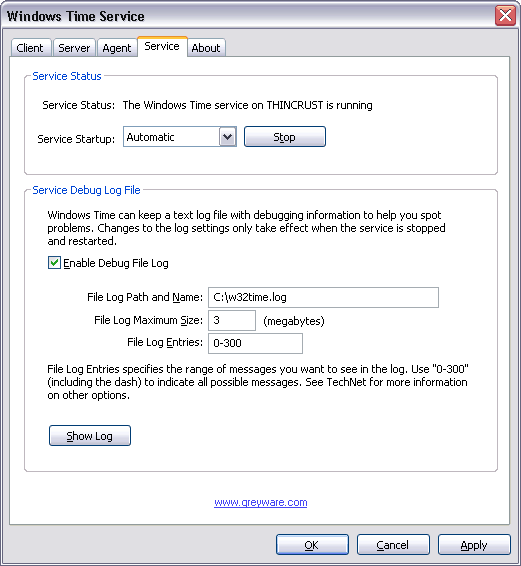 Domain Time II Windows Time Agent: Service tab The Service Status section lets you start or stop the Windows Time service, and set the service startup flag (Automatic, Manual, or Disabled). The Service Debug Log File section allows you to enable an extremely detailed debug log of all Windows Time service activity. This log can be extremely useful in tracking down problems when the Windows Time service is not synchronizing correctly.
Enable Debug Log File
Log File Path and Name:
Note: On Windows Vista and above, the Windows Time service doesn't have sufficient NTFS file system rights to create its own debug log file (it merely creates "Access Denied" errors in the System event log). You must therefore manually add Modify permissions for the Local Service account to the folder you select for your debug log file.
Log File Maximum Size: (megabytes)
Log File Entries: Click the View Log to view the log in real-time.
Turn On Debug Logging in the Windows Time Service
|

Copyright © 1995-2026 Greyware Automation Products, Inc. All Rights Reserved
All Trademarks mentioned are the properties of their respective owners.
Greyware Automation Products, Inc.
308 Oriole Ct, Murphy, TX 75094
972-867-2794 (voice)